


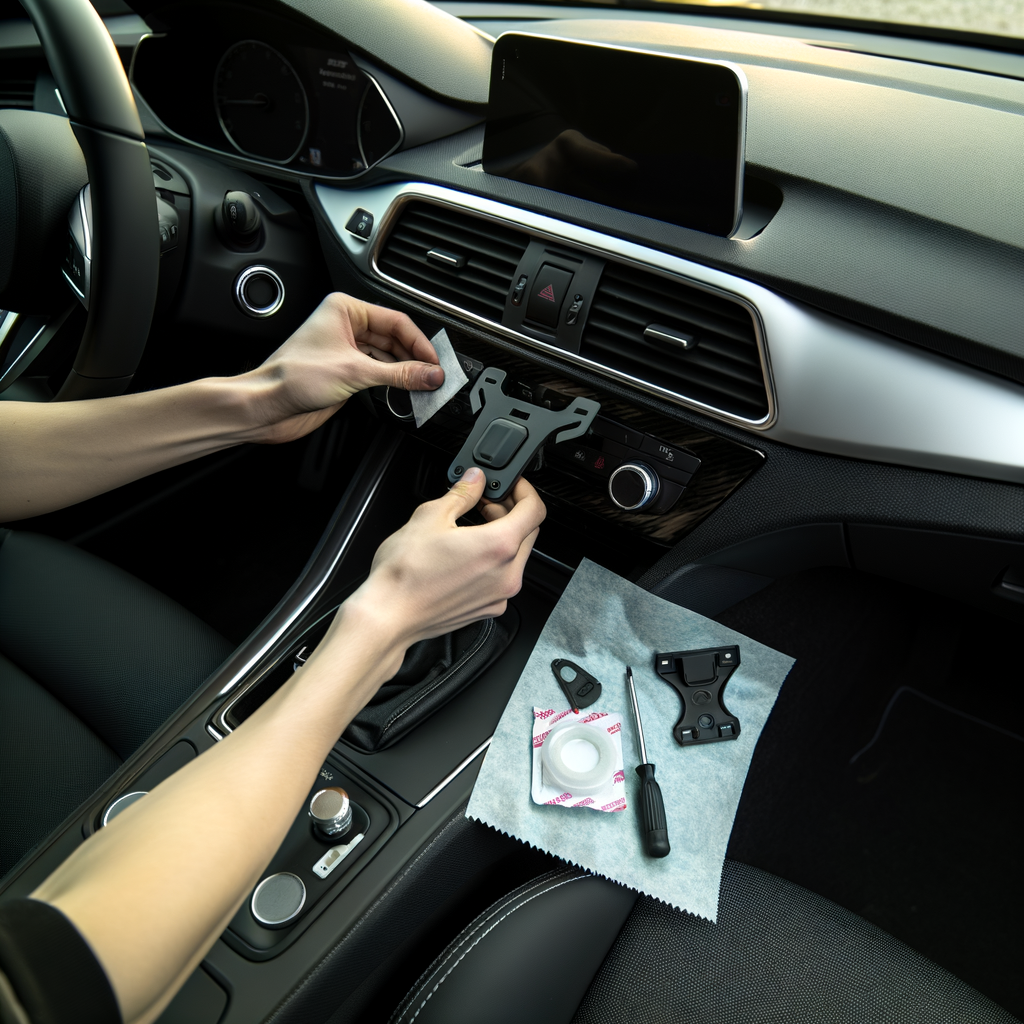
A good phone mount makes driving calmer. Your map is easier to see. Calls are simpler. But a bad install can block your view, fall off, or damage your dash. This guide shows how to install a car phone mount at home the right way, even if you have never done it before.
Tools and Items Needed
- Phone mount (dash, windshield, vent, or cup holder style)
- Alcohol wipes or isopropyl alcohol and a clean microfiber cloth
- Painter’s tape (optional, for marking the spot)
- Plastic trim tool or an old gift card (only if routing a charging cable)
- Charging cable (preferably a right-angle plug if space is tight)
- Small flashlight (optional)
Safety or Legal Notes
Do not place the mount where it blocks your view of the road. Many areas can ticket you for obstructing the windshield. Also, do not mount over an airbag panel. That includes the steering wheel, the passenger dash area, and many A-pillars. If an airbag goes off, it can launch your phone and mount like a projectile.
Before you stick or clamp anything, sit in your normal driving position. Turn the wheel fully left and right. Shift gears if you have a center shifter. You want to confirm the phone will not hit your hand, your knee, or the shifter while driving.
Numbered Installation Steps
1. Pick the Right Mount Type for Your Car
Different cars work better with different mounts. Choose based on your interior layout and how you drive.
- Dash adhesive mount: Great for stable viewing. Needs a clean, flat surface. Some dashes have texture that makes sticking harder.
- Windshield suction mount: Strong on clean glass, but can block vision if placed too high. Heat can weaken suction over time.
- Vent clip mount: Fast to install. Not ideal on weak vents or in very hot climates. Can block airflow.
- Cup holder mount: No sticky pads needed. Can wobble on rough roads and may block storage.
If you are already doing interior upgrades, be careful with where you attach things. For example, some trim pieces scratch easily. If you are working around dash trim, Dash trim kit installation tips can help you think about surfaces and fitment.
2. Choose the Best Location
A good spot lets you glance at the phone without taking your eyes off the road for long.
- Keep it close to your line of sight, but not blocking the road.
- Keep it away from airbags and airbag seams.
- Keep it within easy reach, so you can tap once without stretching.
- Avoid placing it where it hits wiper controls, hazard switches, or HVAC knobs.
Common good locations are low on the windshield near the center, on the dash near the center, or to the side of the infotainment screen. If your car has a big screen, a mount too close can block buttons and vents.
3. Test the Position Before You Stick Anything
This step saves a lot of frustration later.
- Hold the mount in place with your hand.
- Put your phone into the mount.
- Sit back and check visibility.
- Check that the phone does not block the instrument cluster.
If you like the spot, you can place a small piece of painter’s tape as a guide. That way you install it in the same place after cleaning.
4. Clean the Surface the Right Way
Most mounts fail because the surface was not cleaned well. Dust, interior dressing, and skin oils reduce grip.
- Use an alcohol wipe or alcohol on a microfiber cloth.
- Clean a slightly larger area than the base of the mount.
- Let it air dry fully. Do not install on a wet surface.
If your dash is shiny or greasy, clean it twice. If you detail your interior often, avoid putting dressings in the mount area. If you want a simple interior refresh that does not leave slippery residue, follow a careful process like car interior deep clean steps.
5. Install the Mount (By Type)
Dash Adhesive Mount
- Warm the cabin a bit if it is cold. Adhesive sticks better above about 60°F (15°C).
- Peel the backing off the adhesive pad.
- Press the base down firmly for 30 to 60 seconds.
- Wait before using it if the instructions say so. Many adhesives need a few hours to fully bond.
Windshield Suction Mount
- Clean the glass with alcohol and let it dry.
- Place the suction cup and press it flat.
- Lock the lever or twist mechanism.
- Gently tug it to confirm it is locked.
Do not stick it on tinted film inside the windshield unless your mount maker says it is safe. Some suction cups can damage film over time.
Vent Clip Mount
- Select a strong vent slat, usually the center vents.
- Clip it on straight. Do not force it at an angle.
- Tighten the knob if your mount has one, but do not crush the vent.
If your phone is heavy, you may notice the vent droops. That is a sign this style is not the best fit for your dash.
Cup Holder Mount
- Insert the base into the cup holder.
- Expand it until it feels snug.
- Adjust the arm so the phone sits stable and does not block your shifter.
6. Set the Angle and Lock It In
Set the mount to minimize glare. Tilt it slightly up or down until you can see the screen without craning your neck. Then tighten the joints. Many mounts slowly sag because the joints were left loose.
Use landscape mode for maps if it helps you see turns sooner. Use portrait mode if you need it closer to your sightline.
7. Route the Charging Cable Safely
A loose cable is annoying and can be a distraction. Route it so it does not hang near pedals, steering, or the shifter.
- Plug the cable into the power source first.
- Tuck the cable along trim edges with a plastic trim tool or gift card.
- Leave a small loop near the phone so it can move on the mount without pulling.
Do not tuck cables into airbag areas. If you are not sure where airbags are, check your owner’s manual. If your car already has odd electrical issues, fix those first so your charging setup is stable. A weak battery can cause weird power behavior, and battery and fuel checks can point you in the right direction.
8. Do a Quick Road Test
Before your first real drive, test it on a short loop near home.
- Drive over a few bumps.
- Brake normally and then a little harder.
- Watch for shaking, sagging, or the phone sliding.
If the phone vibrates a lot, it can be hard to read and can stress the mount. Sometimes vibration is just the mount. Sometimes it is your car. If you notice shaking even when the mount is solid, car vibrates at idle checks may help you separate a mount problem from a vehicle problem.
Common Mistakes
- Mounting too high on the windshield, blocking the road and traffic lights.
- Sticking adhesive to a dusty or dressed dash surface.
- Placing the phone over an airbag cover or seam.
- Skipping the waiting time for adhesive to bond.
- Routing a cable where it can snag your foot or interfere with steering.
- Over-tightening vent mounts and cracking vent slats.
Maintenance Tips
- Wipe the mount and phone grips weekly. Skin oils make clamps slip.
- For suction mounts, clean the suction cup and glass every few weeks.
- Check tightness on joints once a month. Heat and vibration loosen them.
- Replace the adhesive pad if it starts peeling. Do not keep pressing it back down.
- In extreme heat, park in shade when possible. Many mounts fail faster in hot sun.
Is It Worth It?
Yes, if you use navigation, take hands-free calls, or drive in busy areas. A properly installed mount keeps your phone stable, visible, and within easy reach. It can also reduce distraction because you are not hunting for your phone on the seat or in a cup holder.
It is only worth it if you place it safely. If the best spot blocks your view or sits on an airbag panel, choose a different style of mount instead of forcing it.
Conclusion
Installing a car phone mount is a small DIY job, but placement and prep matter. Pick the right mount type, clean the surface well, avoid airbags, and route the charging cable safely. After a short road test and a little maintenance, your mount should stay solid and make daily driving simpler.


