


This post may contain affiliate links. Please read our disclosure and privacy policy for more information.
Ambient lighting is the soft glow inside your car. You usually see it under the dash, under the seats, or along the center console. It makes the cabin feel calmer at night. It can also help you find things without using a harsh dome light.
It is no longer just a luxury-car feature. The global automotive ambient lighting market is worth more than $2 billion and is growing at over 11% annually. Millions of drivers also add aftermarket ambient lighting to their vehicles each year, making it one of the most popular DIY interior upgrades.
This guide is for a simple, beginner-friendly install at home. No cutting. No tapping into factory wires. We will use a plug-in kit that runs from a 12V socket (cigarette lighter port) or USB.
Why drivers install ambient lighting
- Luxury cabin feel, even in budget cars
- Better night visibility without harsh glare
- Mood-enhancing colors for a more relaxing drive
- RGB customization to match your personal style
- Easier orientation inside the cabin at night
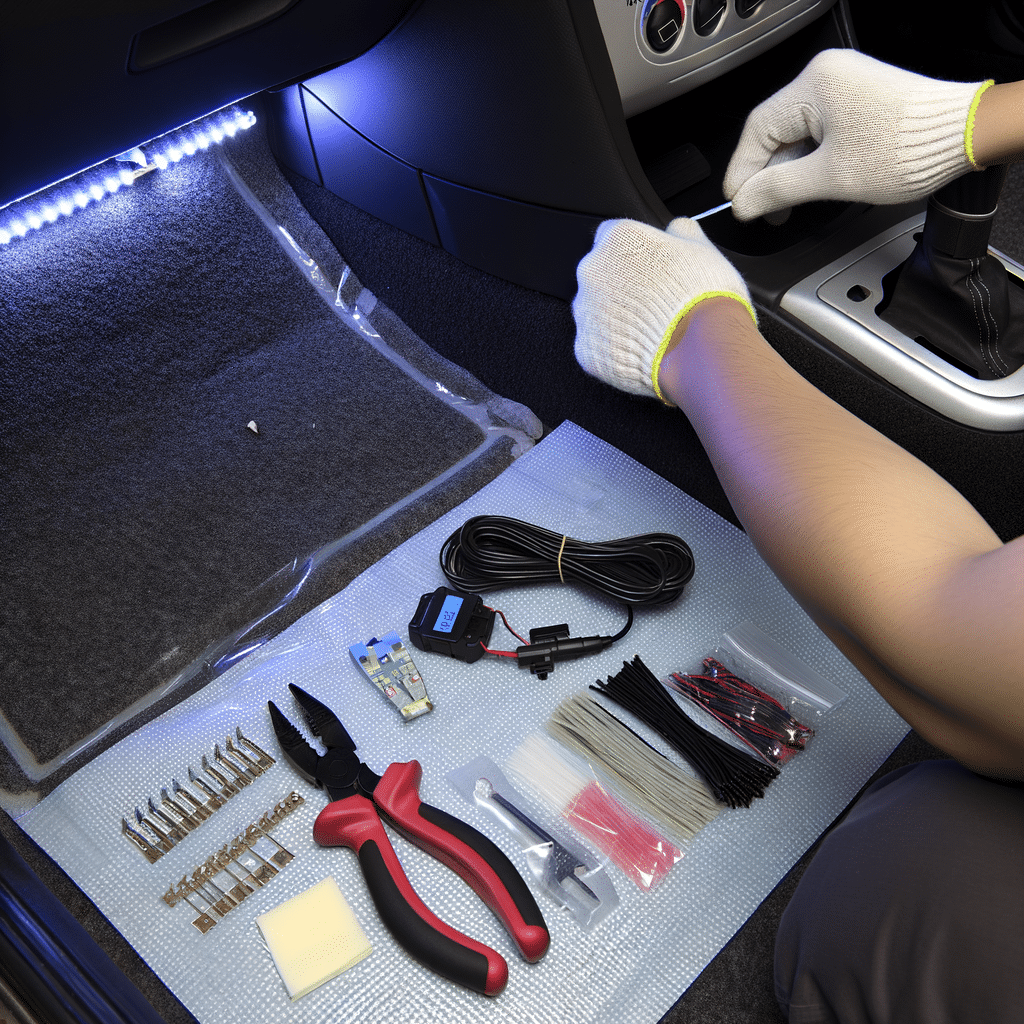
Tools and items needed
- Ambient lighting kit (LED strips or LED “pods”), with 12V plug or USB plug
- Plastic trim tool (or an old plastic card)
- Rubbing alcohol and a clean cloth
- Zip ties (small)
- Adhesive cable clips (optional, helpful)
- Small scissors (to cut zip ties)
- Flashlight
Optional but nice:
- Felt tape (reduces rattles if a wire touches plastic)
- A spare fuse tap kit (only if you choose a hardwire method later)
Safety and legal notes
- Do not place lights where you can see the LED points while driving. The glow should be indirect.
- Do not mount lights near pedals, steering parts, or seat rails. Nothing should snag your feet or block pedal travel.
- Keep wires away from airbags. Common airbag areas are A-pillars, side curtain zones, and some lower dash panels.
- In many places, blue or red lighting can be restricted while driving. Use a dim color for the road, like soft white or amber, if you are not sure.
- If your kit has a remote, do not use it while moving. Set it before you drive.
Numbered installation steps
1) Pick your lighting style and layout
Most beginner kits come in two styles:
- LED strips: Thin strips you stick under dash edges or under seats.
- LED pods: Small light modules that stick in hidden corners.
A simple layout that works in most cars:
- One strip or pod under the driver dash, aimed at the footwell
- One under the passenger dash
- Optional: two under the front seats for rear footwell glow
Avoid the door sills for your first try. They get kicked, wet, and dirty.
2) Decide how you will power it
The easiest method is plug-in power from:
- 12V socket
- USB port
This avoids messing with fuses. The only downside is you may see a small cable near the socket.
If you later want a cleaner “factory” look, you can hardwire it. If you like DIY electronics, installing a dash cam at home uses similar wire-hiding habits and routing ideas.
3) Test the kit before sticking anything
Plug the kit into the 12V socket or USB port. Turn the car to ACC or ON, depending on your vehicle. Confirm:
- All strips or pods light up
- The remote or app changes colors
- Brightness control works
Then unplug it. This saves you from peeling tape off later.
4) Clean mounting areas
Adhesive fails on dusty plastic. Clean each mounting spot with rubbing alcohol. Wait one minute for it to dry.
Good mounting spots:
- Bottom edge of dash, tucked behind a lip
- Under the front seats, on a flat rail cover or seat frame area that does not move
- Side of the center console, low and hidden
5) Dry-fit the lights and aim them
Hold the strip or pod in place without removing the backing. Sit in the driver seat and look around.
- You should see glow on the carpet, not the LED chips.
- Make sure the driver footwell light does not shine at the pedals.
If you can see the LED points, move it farther back or higher behind a trim edge.
6) Mount the front lights first
Start with the passenger side. It usually has fewer moving parts.
- Peel a small section of tape backing.
- Press the light into place for 20 to 30 seconds.
- Peel the rest of the backing as you press along the strip.
Then mount the driver side light. Double-check clearance around:
- Brake pedal arm
- Gas pedal
- Parking brake area
- OBD port area (do not cover it)
7) Route the wires cleanly
This is the part that makes it look “installed” instead of “added.” Route wires along existing seams and edges.
- Tuck wires under carpet edges or under plastic trim using a trim tool.
- Follow factory harness paths when you can, but do not zip tie to yellow airbag wiring.
- Leave a small service loop near each light so tension does not pull it off later.
If you are doing other simple interior add-ons, simple car upgrades you can do can help you think about clean installs and cable management across projects.
8) Mount rear lights (optional)
If your kit includes rear footwell lights, mount them under the front seats.
- Move the seat all the way forward and all the way back to watch what moves.
- Mount the light where nothing touches it through the full seat travel.
- Keep the wire away from seat rails and moving hinges.
Use zip ties to secure slack wire to a fixed seat frame area, not a moving track.
9) Hide the controller and route to power
Most kits have a small control box. Hide it:
- Under the center console edge
- Inside a small gap under the dash
- Behind a kick panel, if there is room
Do not bury it in foam or insulation if it gets warm.
Run the main power cable to the 12V socket or USB port. Use cable clips if the cable crosses an open area.
10) Final test at night
Plug the kit back in. Turn on the lights and sit in the driver seat.
- Set brightness low first.
- Check for glare in mirrors.
- Check that nothing blocks pedals or moves with the steering column.
- If your car has a light color that is too bright for driving, pick a softer color for night drives.

Common mistakes
- Mounting where the LED points are visible. This causes glare and looks cheap.
- Running wires across pedal areas. This is a safety issue.
- Skipping surface cleaning. Tape falls off in heat.
- Placing lights on moving seat rails. Wires get cut over time.
- Routing near airbag zones. Never tuck wires into A-pillar trims unless you know the airbag layout.
If you are new to car mods in general, a simple guide to modifying your car can help you decide what is safe to do first and what to leave alone.
Maintenance tips
- In hot weather, press on each strip again after a day or two. Adhesive bonds better after heat cycles.
- If a strip keeps falling, replace the tape with quality automotive double-sided tape.
- If you get rattles, add a small piece of felt tape where the wire touches plastic.
- Once a month, check that rear-seat wiring has not slid into the seat rails.
Is it worth it?
For most beginners, yes. Ambient lighting is low risk if you use a plug-in kit and keep wires away from moving parts. It also makes the interior feel nicer at night without changing how the car drives.
It is not worth it if you hate visible cables and you do not want to hardwire. In that case, you may prefer other clean upgrades like a screen add-on. If that is your style, installing Apple CarPlay yourself can feel more useful day to day.
Conclusion
DIY ambient lighting is a simple home project. Clean the surfaces, mount the lights where you cannot see the LED points, and route wires away from pedals, seat rails, and airbag areas. Take your time with wire hiding. That is what makes it look neat and stay safe.
If you want, tell me your car year, make, and model. Also tell me if you want footwell only or also door and dash lines. I can suggest a simple layout and safe routing spots.
Related Resources
Tools Used In This Guide
If you want to recreate the ambient lighting setup shown in this guide, these are the tools and accessories that can make the installation easier, cleaner, and more reliable.
| Recommended Product | What It Helps With |
|---|---|
| Ambient Lighting Kit | Creates the ambient footwell lighting shown throughout this guide. Multiple colors, app control, and plug-and-play installation make it ideal for beginners. |
| Trim Removal Tool Kit | Helps tuck wires behind trim panels and interior plastics without scratching surfaces or damaging clips. |
| Adhesive Cable Clips | Keeps wiring secured along hidden edges and prevents loose cables from hanging under the dashboard or center console. |
| Automotive Felt Tape | Helps reduce rattles and protects wiring where cables touch plastic trim panels or interior components. |
| Zip Ties | Secures excess wiring and keeps the installation neat, organized, and away from moving interior parts. |
Recommended Setup For Most Beginners
For a simple weekend installation, a ambient lighting kit, trim removal tool kit, adhesive cable clips, and a handful of zip ties are usually enough to complete the project. If you notice wires touching trim panels, automotive felt tape can help eliminate rattles and improve long-term durability.
Note: Most beginners can complete this project in under an hour using a plug-and-play ambient lighting kit and a few basic installation tools. Taking extra time to secure and hide wiring often makes the biggest difference in the final result.