




This post may contain affiliate links. Please read our disclosure and privacy policy for more information.
A throttle response controller is a small plug-in device for drive-by-wire cars. It changes how fast your throttle pedal signal reacts. It does not add horsepower. It just makes the pedal feel sharper, so the car responds quicker to your foot.
If your car feels lazy off the line, or you hate that delay when you tap the gas, this is one of the easiest at-home installs you can do. Most take 10 to 30 minutes and basic tools.
Tools and items needed
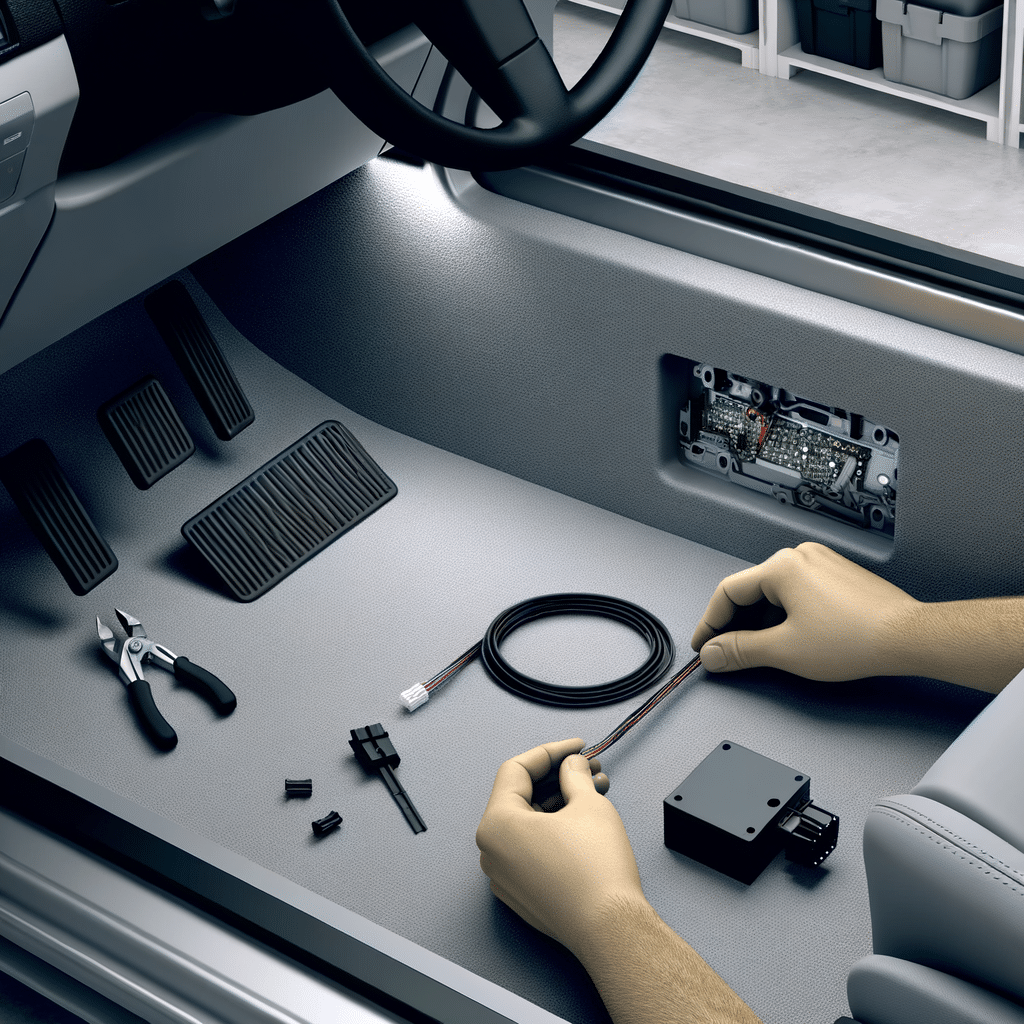
- Throttle response controller kit (module, wiring harness, keypad or dial, mounting tape)
- Trim tool or plastic pry tool (optional, helps with panel clips)
- Flashlight
- Zip ties
- Isopropyl alcohol and a clean rag (for mounting surfaces)
- 10mm wrench (optional, for battery terminal)
Before you start, clear the driver footwell. Pull out floor mats so nothing can slide under the pedals. If you also want a quick safety tidy-up, doing a Replace car floor mats is a nice add-on later.
Safety and legal notes
- Work with the car in Park (automatic) or in gear with the parking brake on (manual). Turn the ignition fully off.
- Keep all wires away from the pedal arm and any moving parts. A snagged wire can hold the throttle open.
- Some controllers have an “eco” and “sport” mode. Start on the lowest setting. A too-aggressive setting can make the car jumpy in traffic.
- Warranty rules vary. A plug-in controller is usually removable, but any damage from bad install is on you.
- In some areas, changes to throttle behavior can be a legal issue for inspection or insurance. If you are unsure, ask locally before installing.
Numbered installation steps
1. Confirm your car is drive-by-wire
Most modern cars are. If your throttle pedal has an electrical connector and no cable going through the firewall, you are drive-by-wire. A throttle response controller will not work on an old cable throttle.
2. Read your controller’s manual first
This sounds basic, but it matters. Some brands want you to connect power with the ignition off, then do a short learning or calibration process. Others are plug-and-play.
3. Optional: Disconnect the battery
Many people install these without disconnecting the battery. For a beginner, disconnecting the negative terminal can avoid accidental warning lights. If you do this, use a 10mm wrench and remove the negative cable only.
If your battery terminals look dirty or crusty, clean them before you reconnect. It helps prevent weird electrical issues later. Here is a good companion job: clean battery terminals at home.
4. Locate the throttle pedal connector
Slide the driver seat back. Use your flashlight to look above the gas pedal. You will see a plug going into the top of the pedal assembly. Some cars have a small cover or lower dash panel that blocks easy access.
If you need more room, pop off the lower trim panel carefully. Use a plastic trim tool and pull straight. Do not yank. Some panels have hidden screws near the hood release or under small caps.
5. Unplug the factory connector
Press the lock tab on the connector, then pull the plug out. If it will not move, do not force it by the wires. Wiggle the connector body while holding the tab down.
6. Plug in the controller harness
The controller harness is usually a “T-harness.” One side plugs into the pedal. The other side plugs into the factory connector you just removed. They should click into place.
- Plug A: Controller to throttle pedal
- Plug B: Factory connector to controller harness
Give both plugs a gentle tug. If they move, they are not locked.
7. Route the cable safely
This is the most important part. Route the controller cable up and away from:
- The pedal arm and hinge
- The steering column joints
- Any sharp brackets
Use zip ties to anchor the cable to existing wiring looms. Leave a little slack at the pedal area so the plug is not under tension, but not so much that it can drop into the pedal movement.
8. Mount the control pad or dial
Pick a spot you can reach without leaning forward. Common locations are the dash near the steering wheel, the center console side, or a blank switch panel.
Clean the mounting surface with isopropyl alcohol. Let it dry. Then stick the pad or clip mount. Hold pressure for 20 to 30 seconds so the tape grabs well.
Do not mount it where it blocks airbags, vents, or steering wheel movement.
9. Reconnect the battery (if you disconnected it)
Tighten the negative terminal. Do not over-tighten. Then close the hood.
10. Power on and do the first setup
Get in the car. Make sure nothing is near the pedals. Turn the ignition to ON without starting the engine, if your controller manual says to do that.
Many units light up and show a mode number. If the unit has a learning mode, follow the steps exactly. Some want you to press the pedal slowly a few times with ignition on.
11. Start the car and check for warning lights
Start the engine. Watch the dash. If you get a throttle warning light, traction light, or check engine light, turn the car off and recheck the connectors. Most issues are a plug not fully seated.
If a light stays on but the car runs normal, do not ignore it. This guide can help you decide what to do next: check engine light on.
12. Test drive on the lowest setting
Pick a quiet road. Start with the lowest response mode. Drive normally for a few minutes. Do light throttle inputs first. Then try a few medium inputs.
Only increase the setting if the car still feels too dull. The goal is smoother control with less delay, not a twitchy pedal.
Common mistakes
- Routing the cable near the pedal arm: This is the big one. If the cable drops into the hinge, it can bind the pedal.
- Not fully clicking the connectors: A loose connector can trigger throttle faults.
- Starting on a high mode: The car can feel jerky in stop-and-go traffic.
- Mounting the pad where you bump it: If your knee hits it, you will change modes by accident.
- Ignoring footwell clutter: Bottles, tools, or thick mats can interfere with throttle control.
Maintenance tips
- Recheck the harness and zip ties after one week. Look for any rubbing marks.
- If you remove the lower dash panel later, confirm the controller wiring still sits above the pedal movement.
- If you ever have odd throttle behavior, turn off the controller or switch to the lowest mode. If it continues, unplug the controller and return to stock to troubleshoot.
- Keep the control pad clean and dry. If the adhesive loosens in hot weather, replace the tape and remount it.
If you are building a simple mod path and want changes that stay easy to live with, the Beginner mods guide is a helpful way to decide what to do next.
Is it worth it?
It depends on what you want. A throttle response controller can be worth it if your car has a noticeable delay and you want a more direct pedal feel. It can make the car easier to drive smoothly because the response matches your foot better, especially in normal traffic.
It is not worth it if you expect more power. It does not change boost, timing, or fuel. It also will not fix a real problem like a dirty throttle body, bad spark plugs, or transmission issues.
For many beginners, it is a nice first “feel” mod because it is reversible. It is also a good reminder to keep up with basic care. If you are starting to modify your daily driver, staying on top of the basics matters. This guide is a good reference: Modified car maintenance explained.
Conclusion
Installing a throttle response controller at home is a simple plug-in job for most drive-by-wire cars. Take your time with the connector locks and cable routing. Mount the control where it is easy to reach but not in the way. Start on the lowest setting and work up slowly. If anything feels wrong, unplug it and return the car to stock until you find the issue.


