




This post may contain affiliate links. Please read our disclosure and privacy policy for more information.
Dirty battery terminals can cause slow starts, random warning lights, and weak power to your car. The good news: Battery terminal cleaning is a simple job you can do at home in under an hour. You do not need deep car knowledge. You just need the right steps and a calm pace.
This guide covers what to use, how to clean safely, and how to stop corrosion from coming back.
Tools and items needed
- Safety glasses
- Nitrile or rubber gloves
- 10mm wrench (common size) or a small socket set
- Battery terminal brush (best) or an old toothbrush
- Baking soda
- Clean water (spray bottle or small cup)
- Rags or paper towels
- Small plastic or wooden scraper (optional)
- Dielectric grease or battery terminal protector spray (optional but helpful)
- Small zip tie or bungee cord to hold the cables aside (optional)
If your battery is in the trunk or under a seat, you may also need a trim tool to open the access panel. If you are getting odd electrical issues, it can help to also know how power circuits work, like in a DIY fuse replacement job.
Safety or legal notes
Battery acid is corrosive. The white, blue, or green crust on terminals is also corrosive. Do not touch your face while working. Wear glasses and gloves.
Work in a well-ventilated area. Do not smoke near a battery. Batteries can release flammable gas.
Turn the car off. Remove the key. Keep metal tools away from both battery terminals at the same time. If a tool touches positive and negative together, it can short the battery.
Radio codes and settings may reset on some cars when the battery is disconnected. If your car has any special security or alarm behavior, check the owner’s manual first.
Numbered installation steps
1. Park and prepare
Park on a flat surface. Set the parking brake. Open the hood and find the battery. If it is under a cover, remove the cover.
Look at the battery and cables. If the battery case is cracked, swollen, or wet, stop. That battery needs replacement, not cleaning.
2. Identify the terminals
The positive terminal usually has a “+” mark and often a red cover. The negative terminal has a “-” mark and often a black cable.
Take a quick photo with your phone. This helps you remember cable routing and cover positions.
3. Disconnect the negative cable first
Using your wrench, loosen the nut on the negative clamp. Twist the clamp gently and lift it off the battery post.
Move the negative cable away so it cannot spring back and touch the terminal. A zip tie can help hold it aside.
Why negative first: It lowers the chance of a short if your tool touches metal on the car while you work.
4. Disconnect the positive cable
Now loosen the positive clamp and remove it from the battery post. Keep it away from the battery.
If your positive terminal has extra connections, do not pull on the wires. Hold the clamp itself and work slowly.
5. Dry brush off loose corrosion
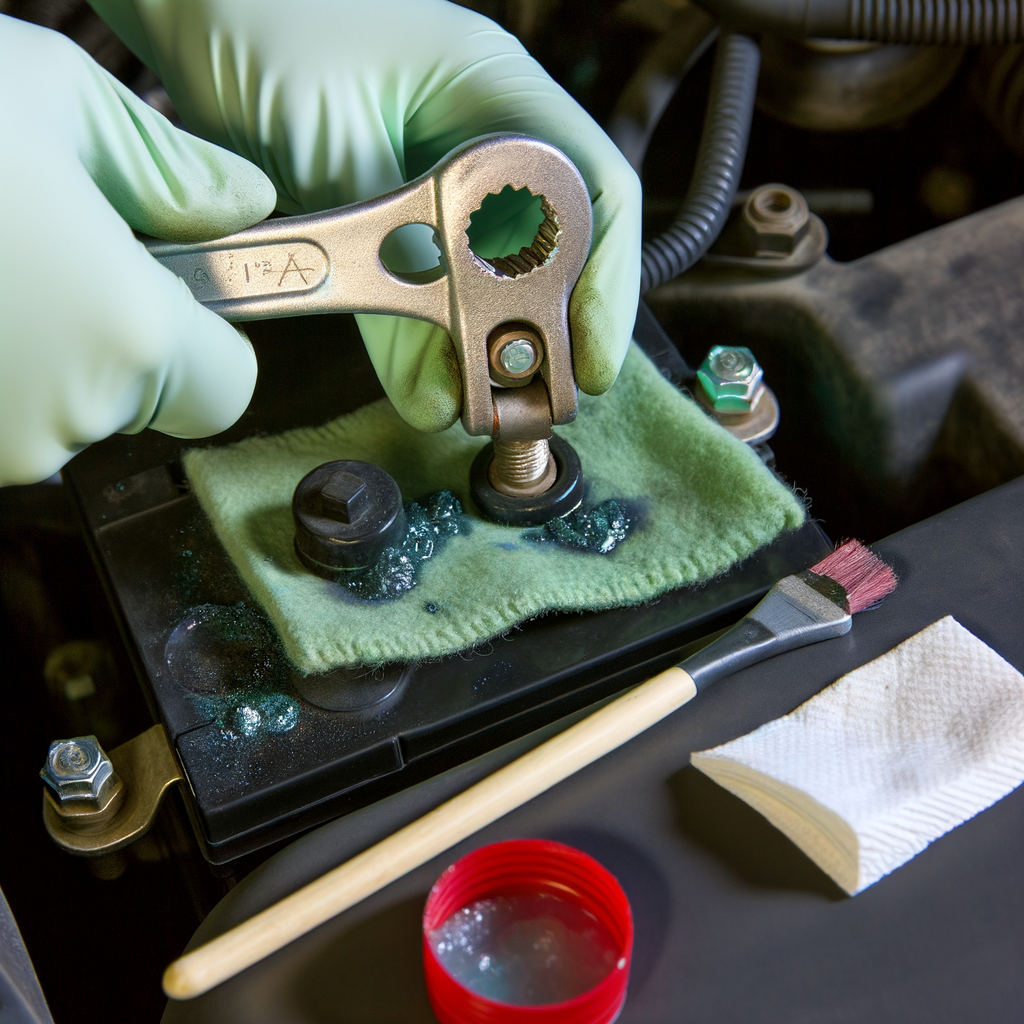
Use a battery brush or toothbrush to knock loose crust off the battery posts and the inside of each clamp. Do this gently. You want the chunks off before adding any liquid.
Do not let debris fall into the battery vent caps (if your battery has them). Most modern batteries are sealed, but it is still good practice to keep the top clean.
6. Mix and apply baking soda solution
Mix about 1 tablespoon of baking soda with 1 cup of water. You can also sprinkle a small amount of baking soda directly on the corrosion and then add a little water.
When it touches corrosion, it may fizz. That is normal. It means the baking soda is neutralizing acidic residue.
7. Scrub the posts and clamps
Scrub the battery posts until you see clean metal. Then scrub the inside of the clamps until the metal looks bright again.
If corrosion is stubborn, use the battery terminal brush. It is shaped to clean both parts faster. A plastic scraper can help break thick buildup, but do not gouge the lead posts.
8. Rinse with clean water and wipe dry
Lightly rinse the area with clean water. Do not flood the battery top. A spray bottle works well.
Wipe everything dry with a rag. A dry connection helps conductivity and slows future corrosion.
9. Check the cable ends and battery tray
Look closely at the cable ends. If the copper wire is exposed, blackened, or swollen under the insulation, you may have cable damage. Cleaning may not fix your problem if the cable is failing.
Also check the battery hold-down and tray. If corrosion reached the tray, wipe it down with the same baking soda mix, rinse, and dry.
10. Add protection (optional but recommended)
Add a thin film of dielectric grease on the battery posts and inside the clamps, or spray battery terminal protector after the clamps are installed. This helps slow down new corrosion.
Use a small amount. Too much grease can attract dirt on the battery top.
11. Reconnect the positive cable first
Place the positive clamp back on the positive post. Push it down until it sits fully. Tighten the nut until the clamp does not move when you twist it by hand.
Do not over-tighten. Battery posts are soft. Over-tightening can crack the post or clamp.
12. Reconnect the negative cable
Install the negative clamp on the negative post and tighten the nut. Put any terminal covers back in place.
13. Start the car and do a quick check
Start the engine. Watch for normal cranking speed. Check that headlights look steady and bright.
If the car is still weak to start, the issue may be the battery itself, the starter, or charging system. Terminal cleaning helps a lot, but it is not a cure for every slow crank. If you keep getting morning weak starts, this guide on car slow to start can help you narrow it down.
Common mistakes
- Disconnecting the positive terminal first: This raises the chance of a short if your tool touches metal.
- Letting the cables touch the battery again while cleaning: They can spark and reset your work.
- Using too much water: You only need a light rinse. Keep the battery top as dry as possible.
- Not tightening the clamps enough: A loose clamp causes intermittent power loss and random no-starts.
- Over-tightening the clamp: This can crack the clamp or damage the battery post.
- Cleaning only the outside of the clamp: The inside contact surface is what matters most.
Maintenance tips (if applicable)
Battery terminals stay cleaner when the battery is secure and the engine bay stays dry.
- Check the terminals every 3 to 6 months, or at every oil change.
- Keep the battery tied down. Vibration can loosen clamps and speed up corrosion.
- Wipe the battery top clean. Dirt can hold moisture and cause slow corrosion.
- If corrosion returns fast, have the battery tested. An aging battery can vent more and corrode terminals sooner.
If you like learning simple upkeep jobs that prevent bigger problems, you may also like Modified car maintenance for beginners. Even on a stock car, the same habits help.
Is it worth it?
Yes, for most beginners. Battery terminal cleaning is cheap, fast, and low risk when you follow the correct disconnect order. It can fix slow cranking caused by poor contact and can prevent surprise no-start situations.
It is also a good confidence builder. You learn where your battery is, how the cables attach, and what “good contact” looks like. That basic comfort helps with other beginner tasks, like home tire pressure check and simple under-hood inspections.
It is not worth doing if the battery is leaking, swollen, or clearly failing. In that case, replace the battery and clean the terminals as part of the install.
Conclusion
Cleaning battery terminals at home is a simple job that can restore good electrical contact and reduce starting problems. Wear basic protection, disconnect the negative terminal first, scrub the posts and clamps with baking soda and water, dry everything, then reconnect positive first and negative last. Check the terminals a few times a year, and corrosion will be much less likely to come back.


